I’m going through Isilon certification courses today as well as joining a training class this morning. Starting to take a plunge into big data best practices. I’m also overhauling this website so please excuse the dust 😉
Author: Rob Steele
-
Warning 6698 VSS exception code 0x800706be thrown freezing volumes – The remote procedure call failed
When you try to create shadow copies on large volumes that have a small cluster size (less than 4 kilobytes), or if you take snapshots of several very large volumes at the same time, the VSS software provider may use a larger paged pool memory allocation during the shadow copy creation than is required. If there is not sufficient paged pool memory available for the allocation, the shadow copy cannot complete and may cause the loss of all previous shadow copy tasks. Follow this article and apply the fix:
-
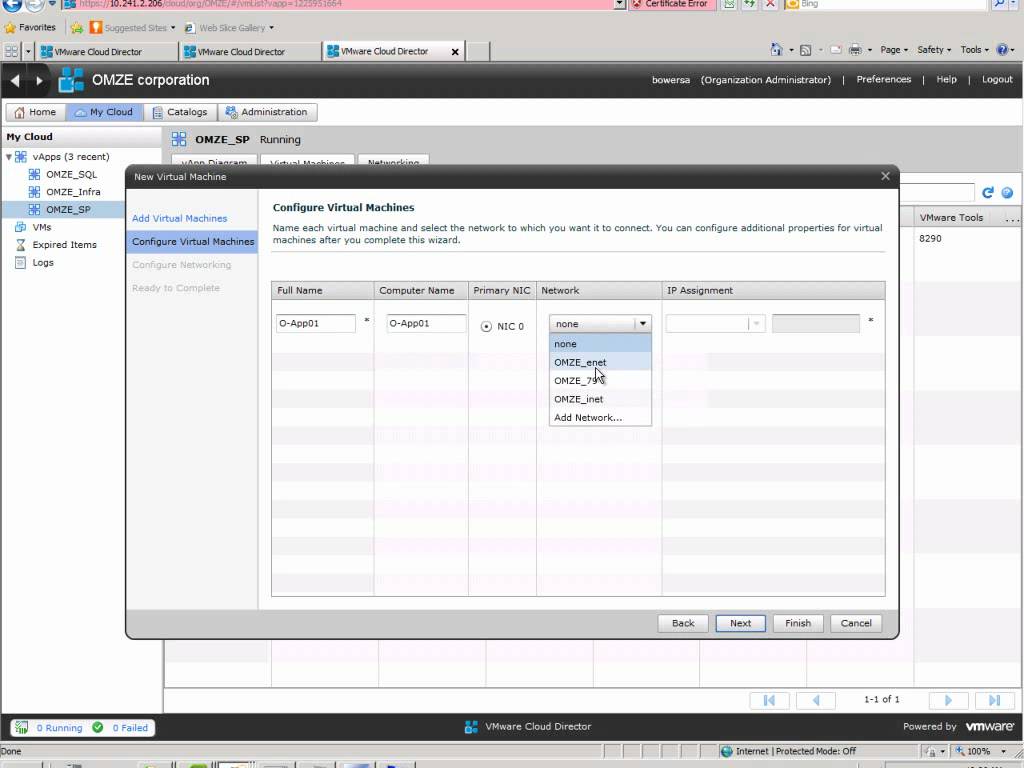
Creating a new VM in vCloud Director
I just recently stumbled upon a new Youtube user called EMCProvenSolutions Looks like guys from EMC Ireland have put together a couple really good video series mostly on VMware and some replication methodologies. Go check them out. I love the Irish narration. -

New Symantec Video on Source based Dedupe
When it comes to deduplicating your data, a smarter approach is to dedupe at the source. Why wait until all that data gets to storage to dedupe it? There is a better way. In this video see how we to find a better way to use Mini Coopers as an analogy for data storage. Symantec BackupExec and NetBackup with Dedupe Everywhere eliminate the need for expensive “dedupe” storage by performing dedupe as part of the backup process. Don’t traverse your network with large volumes of data before deduplication occurs. Dedupe Everywhere: on the client, on the media server, on appliances, and for virtual machines.
-
EMC VNXe Data Protection with Symantec Backup Exec
EMC recently launched their new VNX storage line which is a unified storage platform with one management framework supporting file, block, and object optimized for virtual applications. From that line they also produced a more affordable “VNXe” model for small business and remote offices. There are a number of ways to protect the VNXe including snapshots, replication and NDMP backups. Typically I would use a couple different combinations of these three technologies depending on the business need and data risk, but today I am only going to go into detail with backing up the VNXe using Backup Exec as it is the most popular choice for small and medium businesses which is fitting for the VNXe.
(more…) -
Unable to Connect to the OpenStorage Device
Error:
Unable to connect to the OpenStorage device. Ensure that the network is properly configured between the device and the media server.Environment:
Backup Server: Symantec Backup Exec 2010 R3
OpenStorage Device: DataDomain DD670 running 5.0.0.7-226726Today I was configuring DDBOOST for Backup Exec 2010 R3 using a replicated pair of DD670’s. The DD670’s were pre-configured with version 4.9 which I upgraded to 5.0.0.7-226726. I setup the 670 with a standard configuration and then configured a storageunit. (more…)
-
Troubleshooting: A checkpoint validation (hfscheck) of server checkpoint data is overdue.
Event ID: 114113
Description:
Checkpoint validations (hfschecks) of server Checkpoints are performed to ensure that checkpoints are valid for disaster recovery needs. A regularly scheduled hfscheck did not take place as scheduled. If hfschecks are not being performed disaster recovery may not be possible.Remedy:
Check to make sure that checkpoint is configured and enable it if it’s not. Check to make sure checkpoint validation is configured and enable it if it’s not. If checkpoint and validation are enabled and schedule and either no checkpoint was taken or no validation occurred, contact your support center.